How a Vendor Management System (VMS) Reduces Contingent Workforce Costs: The Complete Guide | Conexis VMS
7 Ways a Vendor Management System (VMS) Reduces Contingent Workforce Costs:
1. Increases Spend Under Management
Capture more workforce spend in one system for better visibility and control.
2. Eliminates Rogue Spend
Ensure all hiring follows approved processes and vendor agreements.
3. Controls Staffing Agency Bill Rates
Standardize rate cards and enforce pricing across all suppliers.
4. Reduces Administrative Costs
Automate manual tasks like onboarding, approvals, and invoicing.
5. Leverages Competitive Bidding
Drive better pricing by enabling vendors to compete for roles.
6. Improves Workforce Planning
Use data to forecast demand and optimize staffing levels.
7. Maximizes ROI Through Adoption
Increase user adoption with an intuitive system to fully realize cost savings.
How a modern Vendor Management System (VMS) delivers measurable cost savings
Contingent labor is one of the largest, and least controlled, areas of workforce spend. As programs grow, organizations often struggle with rising bill rates, off-contract hiring, limited visibility, and manual processes that quietly erode margins.
Here's exactly where those gaps show up, and how a VMS closes them.
Why Contingent Workforce Costs Escalate
Many organizations overspend on contingent labor for the same reasons:
-
Limited visibility into total contingent workforce spend
-
Hiring outside approved suppliers and rate cards (rogue spend)
-
Inconsistent or inflated staffing agency bill rates
-
Manual, email‑driven processes that increase time‑to‑fill
-
Low adoption of legacy workforce tools
Without a system of record, leaders lack the data needed to control costs or prove ROI.
How a Vendor Management System Drives Cost Savings
A modern VMS centralizes contingent workforce activity and enforces policy - creating immediate and long‑term savings across the program.
1. Increases Spend Under Management
One of the strongest indicators of VMS ROI is spend under management. When all contingent labor flows through a single platform, organizations gain control over:
-
Requisitions and approvals
-
Supplier usage
-
Rate compliance
-
Assignment duration and extensions
Greater visibility enables smarter decisions and exposes savings opportunities.
👉Related content: Driving Spend Under Management in a Contingent Workforce Program
2. Eliminates Rogue Spend
Rogue spend occurs when hiring managers bypass approved suppliers or negotiated terms. This often leads to higher costs and compliance risk.
A VMS reduces rogue spend by:
-
Enforcing approval workflows
-
Limiting access to approved suppliers
-
Applying rate rules automatically
-
Creating a complete audit trail
By making compliance easy, organizations recapture spend that would otherwise go unmanaged.
👉Related content: How to Manage Contingent Workforce Rogue Spend
3. Controls Staffing Agency Bill Rates
Without standardized rate governance, bill rates vary widely by department, location, or hiring manager.
A VMS enables:
- Standardized rate cards by role and geography
- Automated rate validation at submission
- Benchmarking and trend analysis across suppliers
This transparency supports renegotiation, supplier optimization, and consistent pricing.
👉Related content: Staffing Agency Bill Rate: What Is It?
4. Reduces Administrative and Operational Costs
Manual hiring processes increase both hard and soft costs. A VMS reduces operational costs by:
- Reducing time‑to‑fill
- Lowering HR and procurement workload through automation
- Reducing errors in time, expense, and invoicing
A modern VMS automates the end‑to‑end lifecycle - from requisition to invoicing - improving efficiency and reducing overhead.
👉Related content: How a VMS Improves Operational Efficiency
5. Leverages Competitive Bidding
Most Vendor Management Systems come with a built-in feature for competitive bidding.
-
This means businesses can invite multiple vendors to bid on an open job, ensuring they secure the most cost-effective result.
-
The system can also track the performance and cost-effectiveness of each vendor, enabling businesses to make data-driven decisions when selecting vendors in the future.
👉Related content: How a VMS Tracks Vendor Performance
6. Improves Workforce Planning
The predictive analytics features of a VMS can forecast future workforce needs based on historical data, helping businesses plan their workforce strategies more effectively. This can prevent over-hiring or under-hiring of contingent labor, ensuring organizations have the right amount of labor at the right time, reducing both overstaffing and opportunity costs.'
7. Maximizes ROI Through Adoption
Even the best cost controls fail if users avoid the system.
Modern VMS platforms are designed for adoption, with:
-
Intuitive, consumer‑grade UX
-
Configurable workflows that reflect real hiring processes
-
Open APIs that integrate with HR, ERP, and finance systems
Higher adoption directly increases spend under management and strengthens cost outcomes.
👉Related content: The Importance of User Adoption in a Contingent Workforce Program
Vendor Management System Pricing
Historically, VMS platforms were designed for large enterprises and came with complex pricing.
Today, cloud-based VMS solutions like Conexis VMS offer powerful functionality for mid-market organizations at a fraction of the cost.
When choosing a VMS solution, one of the biggest factors in your decision will be pricing. Here's what you need to know about VMS solution pricing models:
1- The Traditional VMS Pricing Model
Once implemented, VMS providers typically charge a percentage of every dollar that is processed through the Vendor Management System. Depending on spend levels the cost of a VMS could be as low as 35 basis points and go up as high as a full percentage point assessed on spend processed through the system.
2 - Monthly License Fee
Recently, some VMS providers have begun to offer a more traditional monthly license fee which is tied more to the data processing costs (which when you think about it aligns more with the VMS’ cost structure). These license fees start as low as a few hundred dollars and can go into the millions per year depending on the scale and complexity of the processing required.
Be Aware of Hidden Costs
Processing and implementation aside - there are many hidden costs that you might not be aware of. When evaluating VMS providers, be sure to ask these about these potential hidden costs. You can also find a list of specific questions to ask in our free VMS Buyer's Guide.
Here's a rundown of some potential hidden costs
1- Integration Complexity
VMS solutions must integrate with existing systems such as HRIS, ERP, and procurement software. If the integration is complex, it can lead to significant costs in time and resources. Be sure to ask the VMS if they have an open or closed API. An open API will be more cost-effective and give you control over the integration.
2 - Change Management
Employee resistance to new systems can be costly. Effective change management requires training and possibly even shifts in company culture, which can be resource intensive. Find out from the VMS how they handle and support your change curve.
3 - Customization
Solutions may not fit your company’s unique processes. Customizations can be expensive and time-consuming and may require ongoing maintenance. Find out from the VMS how they handle and charge for customization.
4 - Data Migration
Transferring data from old systems to a new VMS can be a hidden cost, particularly if the data needs to be cleaned up or converted to a new format. Find out from the VMS if there are any costs for this.
5 - Compliance and Security
Ensuring the VMS complies with labor laws, data privacy regulations, and industry-specific compliance standards can incur costs, particularly if you operate in multiple jurisdictions. Find out from the VMS what data privacy legislation they follow. GDPR is the gold standard.
6 - User Training
Staff will need training on the new system. This training can be costly, especially if the VMS is complex or if there is high turnover in the staff using it. Find out from the VMS if they charge for training, if its included or if they can train the trainer so you can conduct your own training.
7 - Ongoing Support and Maintenance
Monthly or annual subscriptions, support contracts, and updates for the VMS can add up over time. Find out from your VMS if they charge for updates or any other items as part of your subscription.
8 - Vendor Lock-in
If the VMS is not interoperable with other systems or data formats, it may lead to vendor lock-in, which can be costly if you decide to switch providers in the future. Your VMS should provide an open API ensuring easy migrations.
9 - Scalability
If your contingent workforce grows, the VMS must scale accordingly. Some VMS providers charge more as you scale up, which can be a hidden cost. Find out from your VMS what their back-end architecture is. The most advanced today is a AWS microservices architecture which scales instantly providing a fast user experience regardless of the load being put on the system.
10 - Reporting and Analytics
Most VMS' have a set of standard reports and a way for you to generate your own reporting. However, some VMS' charge a cost to set up metrics and analytics to measure the performance of your contingent workforce through the VMS. Find out if there are any extra costs for the specific reporting and analytics that your business needs.
Understanding VMS Pricing
VMS pricing varies based on program size, complexity, and deployment model. Common factors include:
-
Total contingent workforce spend
-
Number of users and suppliers
-
Required features and integrations
-
Support and implementation approach
Common pricing models include percentage of spend, per‑worker pricing, and flat subscription fees.
Related articles:

When Does a VMS Become Worth the Investment?
A common myth is that only large enterprises benefit from a VMS. In reality, mid‑market organizations often see ROI faster because inefficiencies are more concentrated.
Organizations typically benefit when they:
-
Use multiple staffing agencies
-
Hire contingent workers on a recurring basis
-
Lack centralized rate or supplier governance
-
Need better reporting and cost transparency
Measuring ROI From a Vendor Management System
The true ROI of a Vendor Management System extends far beyond the cost of the software itself. Leading organizations measure VMS ROI using a combination of cost, efficiency, visibility, and risk-reduction metrics, including:
-
Reduction in Average Bill Rates
Improved rate management, standardized rate cards, and better vendor competition help drive down contingent labor costs. -
Vendor Consolidation
Centralizing vendors enables performance tracking, improved accountability, and smarter sourcing decisions across the supply base. -
Direct Cost Savings
Eliminating rogue spend, enforcing preferred suppliers, and optimizing vendor usage reduces overall contingent workforce spend. -
Increased Spend Under Management (SUM)
A higher percentage of total contingent workforce spend becomes visible, governed, and controlled through standardized processes and a single system. -
Increased Efficiency & Time Savings
Automation of requisitions, onboarding, time entry, approvals, and invoicing significantly reduces administrative effort for HR, procurement, and hiring managers. -
Full Workforce Visibility
All contingent labor data lives in one platform, providing real-time insight into worker utilization, supplier performance, costs, and compliance. -
Risk Reduction, Compliance & Audit Readiness
A VMS helps ensure proper worker classification, up-to-date credentials, contract compliance, and consistent documentation—reducing legal and financial risk.
A modern VMS delivers real-time analytics and reporting, allowing organizations to continuously track ROI and identify new optimization opportunities over time.
Funding a Vendor Management System
Budgets are tight, ROI is essential, and hidden costs can derail adoption. Fortunately, there are multiple ways to fund a VMS - and you don’t always have to pay entirely out of pocket. Understanding the benefits, trade-offs, and financial impact of each model is key to making the right choice for your organization.
The three main funding approaches are:
Vendor-Funded (Supplier-Funded): when the staffing suppliers pay the software fee, typically as a percentage of labor spend billed to the client. Costs are often embedded in supplier bill rates, so the organization may not see a direct software invoice.
Client-Funded (Subscription-Based): is a subscription-based model where your organization pays the software fee directly.
Hybrid-Funded (Combination): combines elements of both vendor-funded and client-funded approaches. Part of the fee is paid by suppliers, and part is paid directly by the client.
To learn more: See Vendor-Funded vs Client-Funded VMS: Which Model is Right for you
Modern VMS platforms, like Conexis VMS, support all three funding models - giving you the flexibility to choose or change your approach as your program evolves.
Legacy VMS vs Modern VMS
For organizations managing a contingent workforce, the choice of Vendor Management System (VMS) can define how effectively they attract talent, control costs, and scale operations.
Many Legacy VMS providers; platforms were built decades ago, patched over time, and are unable to keep pace with today’s speed of work.
Modern VMS platforms, by contrast, are designed for flexibility, user experience, and rapid integration. The difference between a legacy provider and a modern solution isn’t just about technology, it’s about business outcomes.
If your organization is still operating on a legacy VMS, the consequences may go beyond clunky software - they directly impact your bottom line, workforce agility, and competitive edge.
Here’s how a Legacy VMS can impact you negatively:
-
Higher Costs: Legacy platforms often require ongoing customization, manual workarounds, and extra support fees that drive up your total cost of ownership.
-
Slower Time-to-Hire: Outdated workflows and long approval chains delay the hiring process, leaving critical roles unfilled.
-
Poor Visibility: Without real-time reporting, it’s harder to track spend, monitor supplier performance, or stay compliant with labor regulations.
-
Frustrated Stakeholders: Hiring managers, suppliers, and workers all struggle with complex systems that reduce engagement and adoption.
-
Missed Opportunities: While competitors leverage AI-driven insights and automation, legacy users risk falling behind in workforce strategy and cost control.
By contrast, a modern VMS empowers your business to:
-
Scale faster with flexible, mobile-first workflows
-
Control spend through automation and transparency
-
Engage suppliers and workers with user-friendly tools
-
Unlock strategic insights that drive smarter workforce planning
In other words: moving to a modern VMS isn’t just an IT upgrade - it’s a business decision that directly improves efficiency, cost savings, and agility
Legacy VMS vs. Modern VMS: Quick Comparison
| Feature | Legacy VMS Providers | Modern VMS Platforms |
|---|---|---|
| Architecture | Slow, hard to integrate | API-first, AWS microservices architecture, seamless integrations, fast |
| Implementation | Implement in months - costly customizations, pay for setup | Implement in Weeks, rapid deployment |
| User Experience | Clunky, desktop-first, slow adoption | Mobile-first, intuitive, high adoption |
| Flexibility | One-size-fits-all, expensive to adjust | Configurable workflows, adaptable processes |
| Innovation Speed | Slow updates, high customization fees | Continuous updates, AI-driven features |
| Data & Insights | Limited reporting, siloed data | Real-time dashboards, predictive analytics, free customized reports |
| Cost | High due to maintenance & custom development | Lower with automation & built-in flexibility |
| Business Impact | Delays, higher costs, user frustration | Faster hiring, cost savings, strategic insights |
Can You Answer These Right Now?
If you can’t quickly answer these questions, there’s a high likelihood your contingent workforce program is costing more than it should.
- What is your total contingent workforce spend across all vendors, locations, and departments?
- How much are you overpaying for similar roles across different suppliers or regions?
- Where is rogue (off-program) spend happening?
- Which vendors deliver the best value - not just the fastest fill?
- How much are you losing to overtime, rush orders, or last-minute staffing gaps?
- What percentage of invoices contain errors or require manual correction?
- How much time is your team spending on manual processes like approvals, tracking, and invoicing?
How VMS Cost Savings Vary by Industry
While the core cost drivers of a VMS are consistent, how those savings show up depends on your industry. Explore how contingent workforce costs, and the ways a VMS controls them, differ by sector:
-
Healthcare: credentialing costs, per diem billing, and shift premium management
-
Manufacturing: rate card standardization and no-show reduction across high-volume shift labor
-
Warehousing, Distribution & Logistics: seasonal surge cost control and multi-site rate consistency
-
Government: compliance-driven cost control in regulated procurement environments
-
Education: urgent seasonal staffing cost management
-
Consulting Firms: project-based contractor cost visibility
How do I Choose the Right Vendor Management System
When choosing a VMS, consider your company’s specific requirements.
The right VMS helps you streamline vendor management, improve compliance, and reduce costs. But not all systems are created equal. Our free VMS Buyer’s Guide includes expert insights and a step-by-step checklist to help you find the right fit.
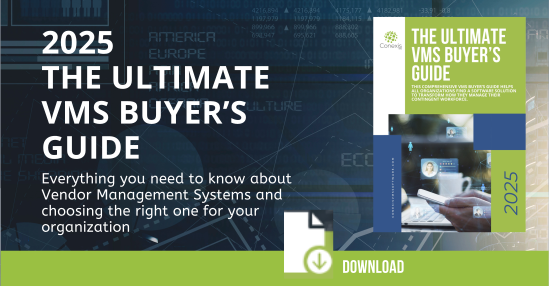
Here are just a few things to evaluate when choosing a VMS:
1. Scalability & Flexibility
Choose a solution that grows with your business. Modular, configurable systems allow you to scale features as your workforce needs evolve.
2. Integration Capabilities
Ensure your VMS integrates seamlessly with existing tools like your HRIS, payroll, ERP, or time-tracking systems for maximum efficiency.
3. Real-Time Reporting & Analytics
Look for platforms that offer customizable dashboards, workforce spend insights, and performance tracking to drive smarter decisions.
4. Supplier & Freelancer Management
Your VMS should make it easy to manage staffing agencies and independent contractors, offering automated workflows and communication tools.
5. MSP-Specific Features
If you work with a Managed Service Provider (MSP), look for functionality that supports program flexibility, regulatory compliance, and client success.
Vendor Management Frequently Asked Questions
What is a Vendor Management System (VMS)?
A Vendor Management System is software that helps businesses manage staffing vendors, contingent workers, and associated processes like invoicing and compliance.
How does a Vendor Management System work?
A VMS centralizes vendor data and automates processes like onboarding, time tracking, and payments to improve efficiency and compliance.
What are the benefits of using a VMS?
Benefits include reduced costs, improved visibility, stronger compliance, and better vendor performance management.
How much does a Vendor Management System cost?
Pricing varies by organization size and needs. Common models include a percentage of spend processed (typically 35 basis points to a full percentage point) or a flat monthly license fee. Modern VMS platforms like Conexis VMS offer flexible pricing with no setup fees.
What is the difference between vendor-funded and client-funded VMS pricing?
Vendor-funded models have staffing suppliers absorb the software cost, typically built into bill rates. Client-funded models have your organization pay the software fee directly as a subscription. Many organizations use a hybrid of both.
What is a vendor management fee?
A vendor management fee is the cost charged for using a VMS platform, typically structured as either a percentage of contingent labor spend processed through the system or a flat subscription fee, depending on the pricing model.
How much does a VMS system cost per year?
Annual costs range widely based on spend volume and pricing model, from a few hundred dollars a month for smaller programs to well into the millions annually for large, high-volume enterprise programs.
Are there hidden costs in VMS pricing?
Yes. There may be hidden costs that you should be aware of. Common hidden costs include integration complexity, data migration, customization, user training, and vendor lock-in from closed APIs. Asking about each of these during the VMS tender process helps avoid budget surprises.
Why choose Conexis VMS?
Conexis VMS offers transparent pricing with no setup fees, free implementation and training.
Additional Reading on Cost Savings of a VMS


Cost Reduction
How to Save 20% on your Contingent Workforce Costs with a VMS
Read how to save 20% on your contingent workforce costs with a Vendor Management System.

Rogue Spend
How to Manage Contingent Workforce Rogue Spend with a VMS
Read how you can better manage rogue spend your contingent workforce program

Measurement
How to Measure Contingent Workforce Programs with a VMS
Read how you can measure your contingent workforce program

Cost Control
How to get Control of your Contingent Workforce Costs with a VMS
Discover how you can get control of your contingent workforce costs with a Vendor Management System.

Staffing Agency Costs
5 Ways a VMS Reduces Staffing Costs with Smarter Rate Card Management
Discover how you can use a VMS to reduce staffing agency costs with smarter rate card management.

Spend Under Management
Driving Spend Under Management in Your Contingent Workforce Program
Discover how you can Increase Spend Under Management with a VMS

VMS Funding
Client Funded vs Vendor Funded Models
Discover the different ways to pay for a VMS: Client Funded Model vs Vendor Funded Model.
×