Still managing contingent workers with spreadsheets, email threads and staffing agency invoices? Buying your first vendor management system (VMS) starts with understanding what needs to change.
Learn how to determine if you're ready for your first VMS, build internal buy-in, choose the right platform and plan for a successful implementation that drives user adoption.
A vendor management system (VMS) is cloud-based software that manages your contingent workforce in one place, from job request to final invoice. It connects hiring managers, staffing agencies, HR, procurement and finance, and replaces spreadsheets and email with automated approvals, time tracking, invoicing, compliance and real-time reporting.
Learn more about what a VMS is and the benefits of a VMS.
Buying a VMS for the first time can feel overwhelming. Most first-time buyers aren't sure where to start, who to involve or what to ask. This page walks you through the four steps every first-time buyer takes:

Most organizations don't decide to get a VMS on a set date. They reach a point where manual processes start costing more than they save. You're probably ready if any of these sound familiar:
Still using spreadsheets? See 6 reasons to switch from spreadsheets, Excel and email to a VMS.
Work through our 15 questions to find out if you need a VMS:
A first VMS touches HR, procurement, finance, operations and every hiring manager who uses contingent workers. Getting them on board early is the difference between a smooth project and one that stalls.
|
Team |
What they care about |
|
Executives |
Cost Control, risk and return on investment |
|
Procurement |
Rate consistency, supplier performance and spend visibility |
|
HR and Talent Acquisition |
Compliance, onboarding and time-to-fill |
|
Finance |
Accurate invoicing, cost center coding and reporting |
|
Operations and hiring managers |
Fast requests, easy approvals and the right workers on time |
|
IT |
Security, data privacy and integrations |
Learn how to build a successful VMS business case:
Your first VMS should be quick to adopt, quick to launch and priced for the program you have today. Here's what to look for.
|
Capability |
What it should do for you |
|
Requisitions and approvals |
Hiring managers request workers in a few clicks, with approval routing based on spend, role or location |
|
Supplier management |
Distribute requisitions to selected suppliers or supplier tiers, compare candidates and track performance |
|
Onboarding and compliance |
Collect required documents by worker type, track expiry dates and keep an audit trail |
|
Time, shifts and expenses |
Capture time and shifts by site, apply overtime rules and route approvals automatically |
|
Invoicing and spend visibility |
Consolidated invoicing, clean cost center coding and real-time reports on headcount, rates and spend |
|
Integrations |
An Open API that connects to your HRIS, payroll, ERP and timekeeping systems |
|
Ease of use |
An interface hiring managers and suppliers will actually use, with minimal training |
|
Room to grow |
More sites, suppliers, languages and currencies as your program expands |
VMS pricing models vary, and fees can hide in setup, training, support, integrations and renewals.
Read How Much Does a VMS Cost? before you compare quotes, and see How to Choose the Best VMS for a deeper evaluation guide.
Choosing the right Vendor Management System is only part of the process. A successful VMS implementation requires clear planning, stakeholder alignment, effective training and a strategy for driving user adoption.
For first-time VMS buyers, the goal isn't just to launch the technology. It's to make sure hiring managers, staffing agencies, HR, procurement and finance teams are prepared to use it effectively from day one.
1. Develop a Clear Implementation Roadmap
Work with your VMS provider to define business requirements, workflows, responsibilities, milestones and timelines. Establish clear objectives and identify the stakeholders responsible for implementation decisions.
2. Prioritize Integrations and Open APIs
Identify which existing systems need to connect with your VMS, including HRIS, payroll, finance and timekeeping platforms. Choosing a VMS with an Open API can help reduce integration complexity and support faster deployment.
3. Focus on Configuration, Not Unnecessary Customization
Prioritize essential workflows and requirements for your initial launch. A highly configurable VMS can adapt to your business processes without extensive custom development. Additional capabilities can be introduced as your program evolves.
4. Invest in User Training and Adoption Early
Successful implementation depends on people using the system. Make sure your VMS provider offers role-based training for hiring managers, staffing agencies, HR, procurement, finance and other stakeholders.
Look for ongoing training resources and post-launch support to help users become comfortable with the platform.
5. Choose a Phased, Collaborative Implementation Approach
An agile implementation approach allows organizations to prioritize essential capabilities, test workflows, incorporate feedback and make adjustments throughout the project.
This helps reduce delays, improve stakeholder alignment and support a smoother transition.
Before selecting your first VMS, ask:
What is your typical implementation timeline?
What implementation services are included in your pricing?
How do you manage integrations with our existing systems?
Do you provide role-based training for hiring managers and staffing suppliers?
What support is available during and after go-live?
How do you measure user adoption and customer satisfaction?
Conexis VMS Easy Start™ is designed specifically for organizations implementing their first Vendor Management System.
Our team works with you to define requirements, configure workflows, complete integrations, onboard staffing suppliers and train your users.
With implementation typically completed in under 30 days, no setup fees, free training and dedicated post-launch support, Conexis VMS helps organizations move from manual processes to a fully managed contingent workforce program.
Conexis VMS Easy Start™? is our step-by-step program for organizations launching their first VMS.
We build the system around how you already work, not the other way around, and most organizations are up and running in under 30 days.
There are no setup fees, and implementation, training and support are free.
Conexis VMS has a Net Promoter Score of +71, compared with an industry average of -28 (SIA 2025 Workforce Solutions Buyer Survey).
See our commitment to customer care.
Conexis VMS has been recognized by Industry Analysts including: Major Contender in the Everest Group VMS PEAK Matrix® Assessment 2026 - North America and Global, leading in stability of platform, user experience, implementation support, integrations, speed and accuracy of issue resolution, mobile enablement, among others, in the SIA VMS Global Landscape and Differentiators 2026 Report, and Vanguard Leader in the Ardent Partners 2025 VMS Technology Advisor Report.
See our awards and recognition.
Organizations go live in under 30 days, with no setup fees and free implementation, training and support.
See how Conexis VMS launches a VMS in under 30 days.
Pay-as-you-go pricing with no hidden fees. See pricing.
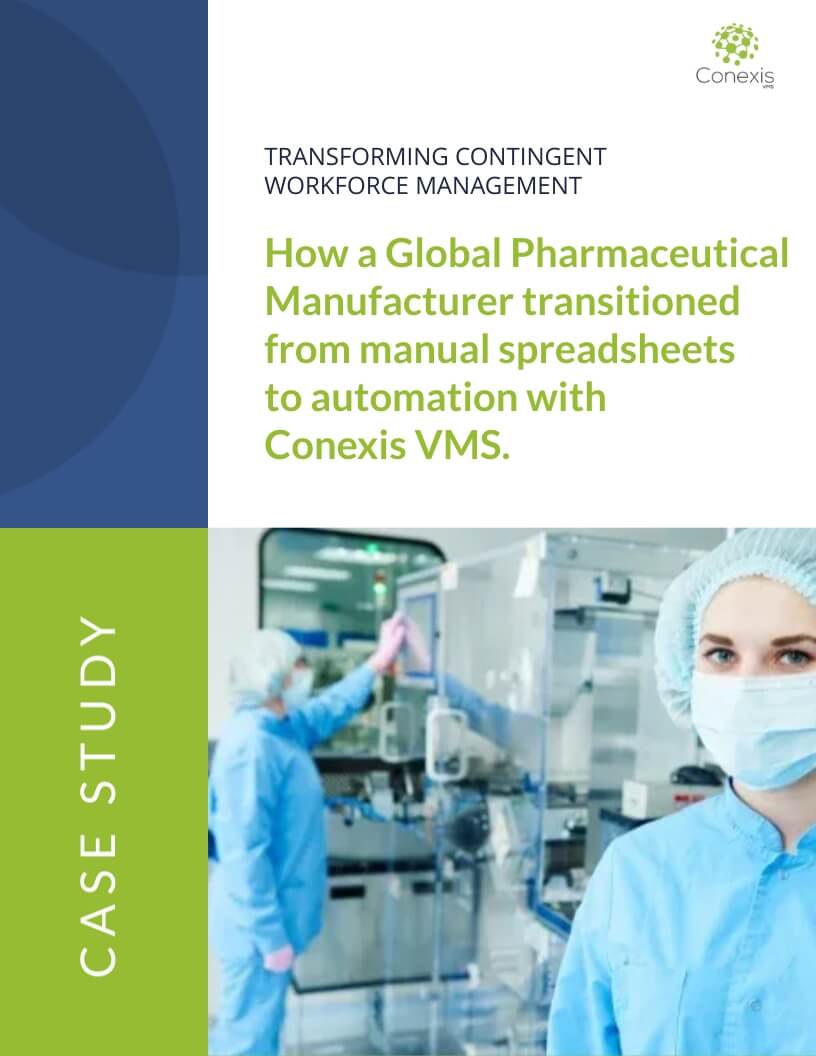
See how a Global Pharmaceutical Manufacturer implemented their first VMS with Conexis VMS and gained 95% visibility and cut costs by 14.7% in 6 months.
We were using manual methods to manage our contingent workforce. Conexis has completely transformed how we source and manage our workforce. We no longer send emails and manage on spreadsheets. Timekeeping and consolidated invoicing have made life so much easier for our managers and finance teams.needs change and the Conexis support team is responsive and knowledgeable. We wished we switched sooner.
International Pharma Company
B2B Product Manager
We realized that spreadsheets and manual processes were limiting our ability to grow. Conexis gave us the visibility, compliance controls, and automation we needed to modernize our operations, launch an MSP offering, and position ourselves for future growth in the education staffing market. Conexis provided us with the technology foundation we needed to scale our MSP offering.
Education and Behavioral Health Staffing Agency, North America
Senior Vice President
A VMS is software that manages your contingent workforce in one place, from the moment a manager requests a worker to the moment the invoice is paid. It replaces spreadsheets, email and paper timesheets with automated workflows and real-time reporting.
Usually not. Smaller and mid-size programs often feel spreadsheet problems the most, because there's no dedicated team to catch errors. If you work with more than one staffing agency or can't easily answer questions about spend and headcount, a VMS will help.
With Conexis VMS, most organizations are up and running in under 30 days. Many legacy VMS platforms can take six to twelve months.
It depends on the pricing model. Some vendors charge license fees plus setup, training and support fees. Conexis VMS uses flexible, pay-as-you-go pricing with no setup costs and no hidden fees. Implementation, training and support are free.
Gather a list of your staffing agencies and their rates, your approval steps, the types of workers you use, your compliance requirements and a rough picture of current spend. This makes every demo more useful.
Include procurement, HR or talent acquisition, finance, operations, a few hiring managers and IT. Each group uses the system differently, and early input makes adoption much easier.
No. Conexis VMS handles configuration and integrations for you and works directly with your IT team, so a first VMS doesn't become a six-month IT project.
Yes. Suppliers are onboarded and trained as part of a VMS implementation.
Yes. A VMS is built for contingent workers, but some can also manage permanent employees.
Not all VMS can handle a shift-based workforce. Conexis VMS supports shift scheduling, time capture by site and role, and overtime and double-time rules natively, with no add-ons or workarounds.
Not necessarily. A VMS is technology you run yourself; an MSP is a service provider that runs your program for you, often using a VMS. Read MSP or VMS: Choosing the Right Model to see which fits.
You get hyper care: real-time support, activity monitoring and regular check-ins while your team settles in. After that, you keep an experienced senior account manager.
Whether you’re just getting started or actively evaluating solutions, this year’s version goes deeper into what actually matters when evaluating a VMS today - in a clear, unbiased framework.

We walk you through the key things you need to know to get started when you are buying your first VMS: pricing, demo, questions to ask and red flags to avoid.
Learn about how much a VMS costs and things to consider when looking at VMS Pricing.
Discover the five tips on implementing a vendor management system.
Read our full guide on what is a Vendor Management System and how it can help your business.
Read our full guide on what are the benefits of a Vendor Management System.
Discover the six reasons you should replace spreadsheets, emails and Excel with a VMS.
Discover the 6 factors to help you decide whether or not investing in a VMS is worthwhile for your size of business.
Take this 15 Question Checklist to identify if you need a VMS.
Discover the key differences between building your own VMS and buying one, in terms of costs, risks and timelines.
Learn about the difference between an MSP and a VMS and how to choose the right model for your contingent workforce program.
Discover how to develop a winning business case for a VMS and things to consider.
Discover the 6 most critical reasons why MSPs should move from spreadsheets to a VMS.
Learn why Net Promoter Score is important when choosing a vendor management system.
Read our case studies to learn more about how Conexis VMS has helped our clients.
Take a 2 minute self-guided tour of Conexis VMS to see how easy it is to use.